Set up tax: GST, VAT or no tax
Tax charged wrongly on a quotation costs you either the job or your margin. Set it up once as tax profiles and every line uses the right rate. Not registered for GST or VAT? Every firm starts with a No tax profile, so your quotations simply show no tax lines.
How tax profiles work
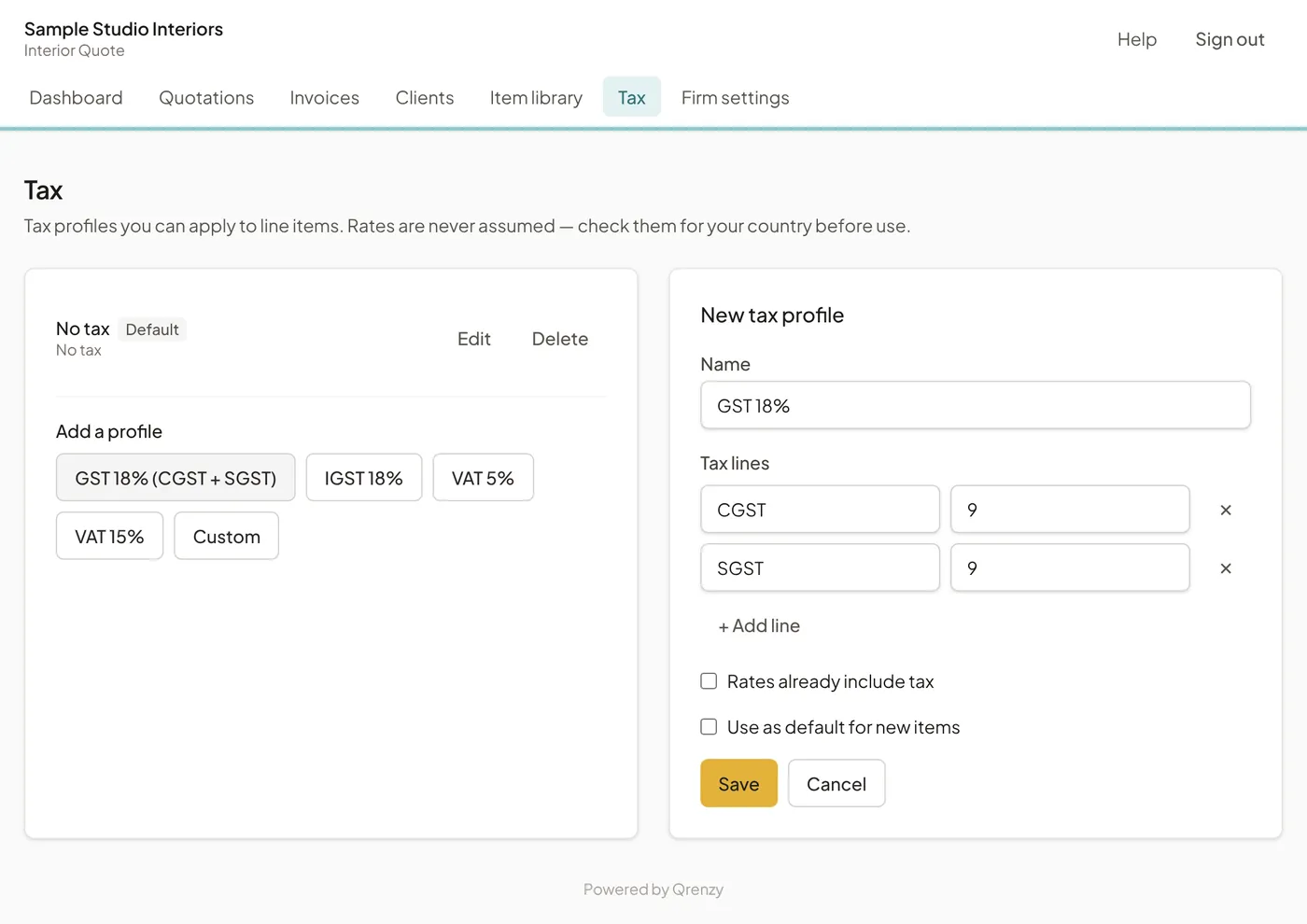
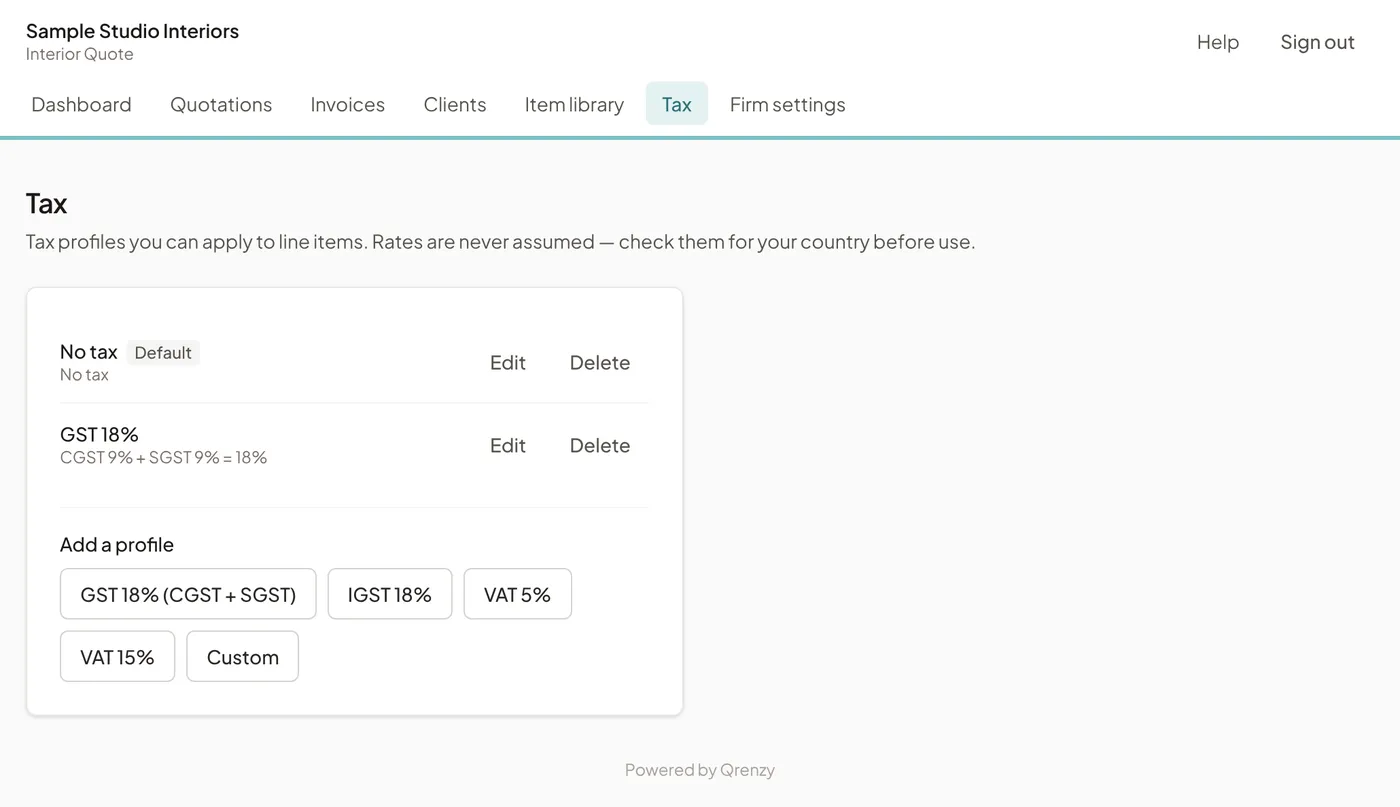
A tax profile has a name and one or more tax lines, each with a label and a rate. GST 18% for work within your state, for example, has two lines: CGST 9% and SGST 9%. The quotation shows each line’s label and rate with its amount, worked out on the value after discount.
One profile is marked Default. Quotation lines set to Default tax use it, so most firms make their usual tax the default and only change the odd line.
Add a tax profile
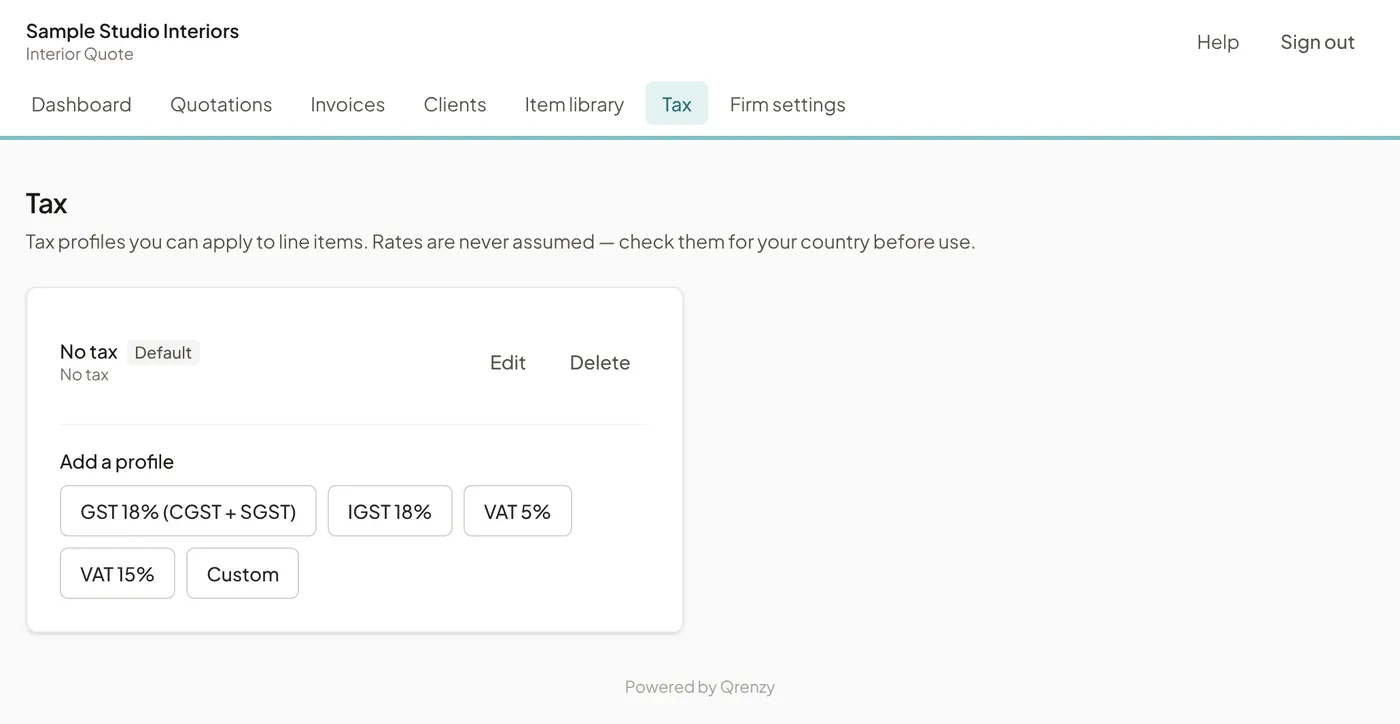
Open Tax. Under Add a profile, pick a starting point: GST 18% (CGST + SGST), IGST 18%, VAT 5%, VAT 15%, or Custom for anything else.
The form opens with the lines filled in. Check them, then:
- Change the Name or a Rate in percent if your rate is different. Rates can have up to three decimals.
- Tick Rates already include tax only if the rates you enter on lines are inclusive. The quotation then takes the tax out of the rate instead of adding it on top.
- Tick Use as default for new items to make this profile the Default.
Choose Save.
India: CGST and SGST, or IGST
Under GST, a supply within your own state is usually charged as CGST plus SGST, and a supply to another state as IGST. Keep both profiles if you work across states, and choose the right one on each quotation’s lines. Put your GSTIN in Firm settings with the Tax ID label set to GSTIN, and add your client’s GSTIN to the client if they have one.
The 18% presets are a starting point, not advice. The rate that applies depends on what you supply and how you are registered, so confirm it with your chartered accountant.
UAE, Oman and other Gulf countries: VAT
Use the VAT 5% preset for the UAE and Oman, and VAT 15% for Saudi Arabia. Bahrain’s standard rate is 10%: choose Custom and enter it. Qatar and Kuwait have not introduced VAT, so firms there use No tax. These are the standard rates as of November 2026; check with your tax adviser, especially for zero-rated or exempt work.
Set the Tax ID label in Firm settings to what your country uses, such as TRN in the UAE.
Other countries and sales tax
Choose Custom and add the tax lines your country uses, with their labels and rates. A profile can have more than one line if two taxes apply together.
Next
With tax in place, create your first quotation.