Back up and export your data
Your quotations are your business records. You can download a complete copy at any time, without asking us, so you never depend on us to get your own data back.
Download your data
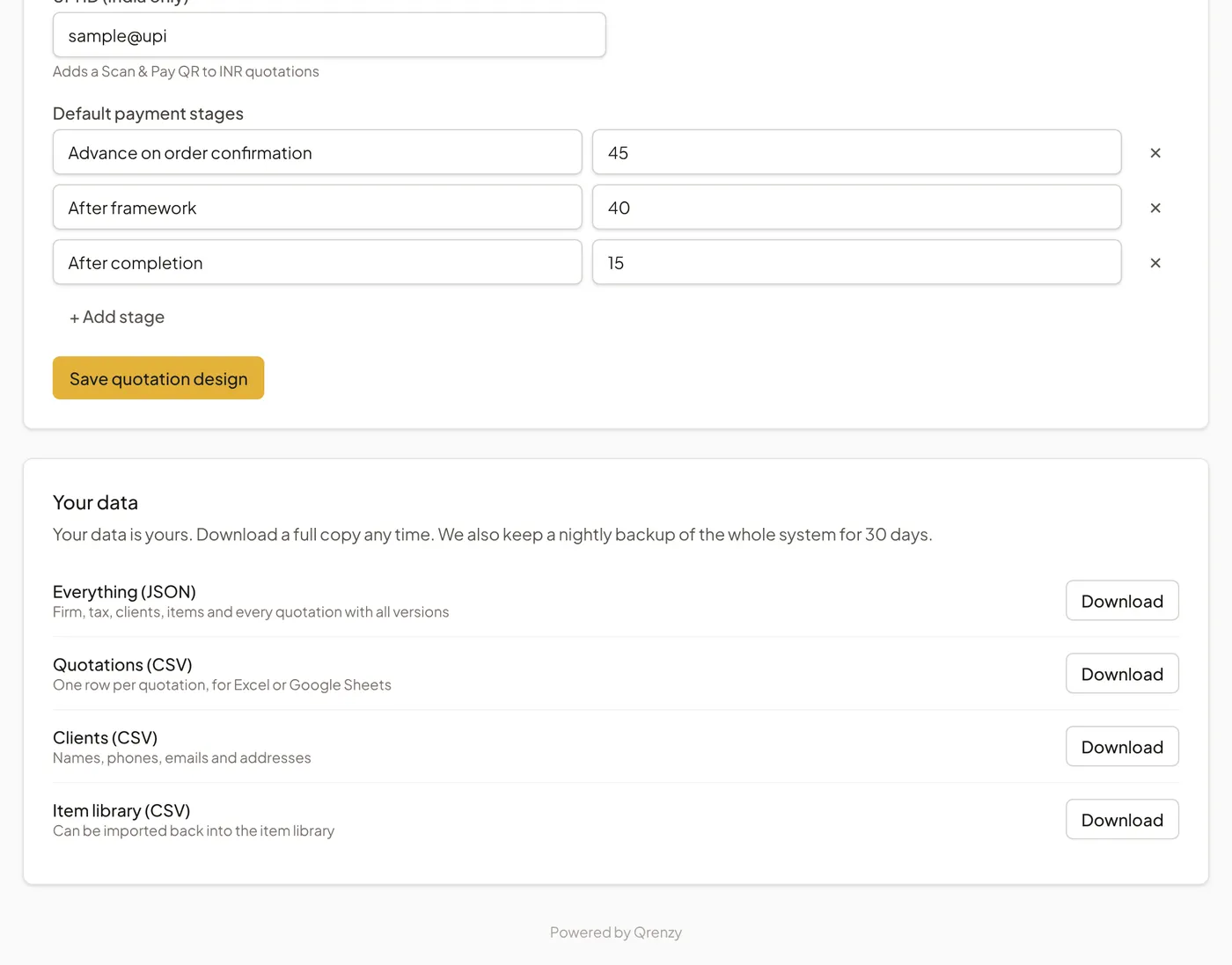
Open Firm settings and scroll to Your data. Each line has a Download button:
- Everything (JSON): your firm, tax profiles, clients, items and every quotation with all its versions. This is the complete copy to keep as a backup.
- Quotations (CSV): one row per quotation, for Excel or Google Sheets.
- Clients (CSV): names, phones, emails and addresses.
- Item library (CSV): your items and rates. This file can be imported back into the item library with Import CSV.
We suggest downloading Everything (JSON) once a month and keeping it with your other business records.
What is inside each file
The CSV files open in Excel, Google Sheets or LibreOffice. These are their columns, so you can check before you download that you will get what you need.
| File | Columns |
|---|---|
| Quotations (CSV) | number, revision, date, valid_until, client, project, status, currency, total, accepted_by, accepted_at |
| Clients (CSV) | name, phone, email, address, tax_number, notes, created_at |
| Item library (CSV) | name, category, unit, rate, description, spec |
| Everything (JSON) | Your firm settings, tax profiles, clients, items, and every quotation with all its versions, rooms and lines |
Our nightly backup
Separately from your own downloads, we back up the whole Interior Quote database every night and keep each backup for 30 days. This protects against mistakes on our side; it is not a way to undo a change you made yourself. If you think something is missing, email info@qrenzy.com as soon as possible.
If you stop using Interior Quote
Download Everything (JSON) and the CSV files first. Your sent quotation links keep working while your account exists. Email us if you want your account and data deleted.